 |
Define your birthdays
-
Display one of the twelve months of the year: either use the One Page button (
 )
or select one of the twelve numbers representing the months ( )
or select one of the twelve numbers representing the months ( ) )
-
Using Windows Explorer or your favorite picture browser, drag a family member's
picture over the date of their birthday and drop the picture into the square box
(1 through 31)
-
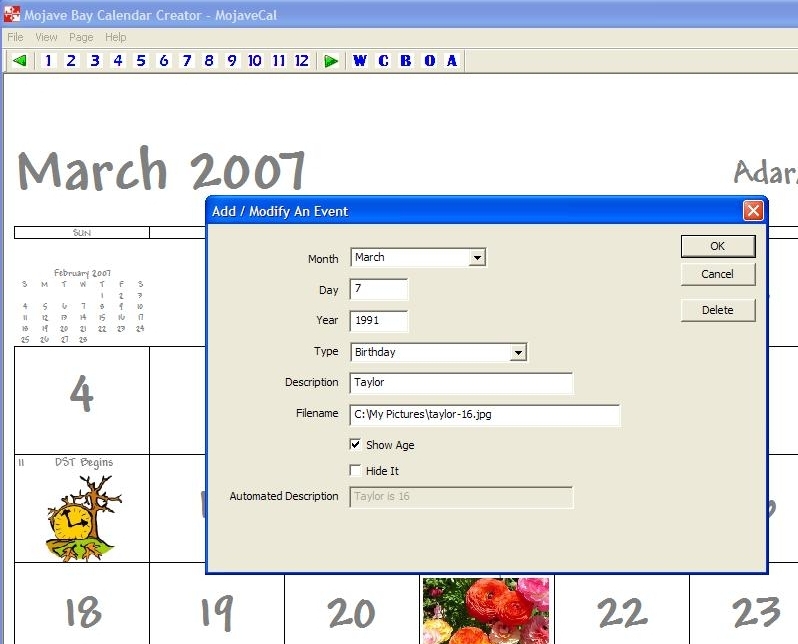
Specify the correct year for the event
-
Specify what type of event you are defining (birthday, anniversay, etc.)
-
Decide whether or not you want CalGenie to compute and display their age
-
Hit the okay button
-
Repeat these steps for all of your family members, friends, and social events
|